
Command Huge Armies Console: Keyboard & Mouse Required
Official experience requirement, setup tips, and why gamepad-only play breaks codes and army command.
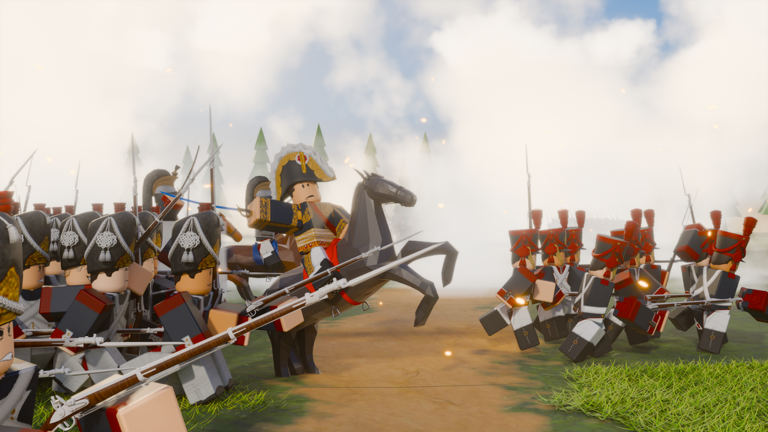
Be a General! by Made Men Studio is playable from console Roblox clients, but the experience page is explicit: you need a keyboard and mouse. This guide explains that requirement, how to set up comfortably, and why gamepad-only setups fail for both Codes redemption and real-time Napoleonic command. Read it alongside Controls, Getting Started, and How to redeem codes before you spend an evening fighting the UI instead of the enemy.
Servers still cap at 10 players. When one general cannot select lines or type a code, the whole lobby feels it. Treat peripherals as part of loadout—same seriousness you give Francs spends on Codes or troop plans on Army composition.
What the experience page requires
Made Men Studio lists keyboard and mouse for console on the official Roblox place (95504100861294). That is not a community myth and not a PC-elitist preference. The command surface expects:
- Precise pointer selection and box-select style control.
- Fast camera pans without fighting stick acceleration curves tuned for third-person action games.
- Reliable text entry for the lobby Codes field.
- The ability to issue orders to infantry, cavalry, and artillery without dedicating the entire gamepad to menu focus.
If your console session lacks KB+M, you can often still join—but you will struggle to play the game as designed. Fix hardware first; theorycrafting Old Guard timings later.
Why gamepad-only fails
Codes and text fields
Promo strings such as EMPIRE, SPECIALOPERATION, and PREUSSEN must be typed accurately. On-screen console keyboards are slow, error-prone, and easy to dismiss mid-field focus. Players report “invalid code” when the real problem was a missing character from clumsy virtual typing. A physical keyboard turns redeeming into a ten-second task after the tutorial—see How to redeem codes.
Army command
Napoleonic command is a multi-unit RTS-like workload:
- Grab the center line without yanking the cavalry wing.
- Snap to batteries when horse appears on the rim.
- Pan high enough to read both flanks in a 10-player fight.
- Deselect and reacquire under pressure.
Gamepad cameras and single-focus UI patterns fight that workload. You end up over-ordering one unit while the rest idle into musket range. Controls assumes pointer-driven habits for a reason.
Social cost in small lobbies
With only ten seats, an AFK-feeling general who cannot micro becomes free map pressure for the other side. Teammates notice. Bring KB+M or reschedule the session.
Setup tips that actually help
- Connect before you join. Plug USB keyboard and mouse (or fully paired wireless peripherals) before launching the experience so focus and detection quirks are settled.
- Use a stable surface. Lap play with a sliding mouse pad produces mis-clicks that look like “bad troops.”
- Sensitivity first. Set mouse speed so a short physical move pans across your front without spinning past the map edge. Recheck after Roblox client updates.
- Disable OS helpers that steal keys. Sticky Keys, filter keys, and some chat overlays create mystery input loss mid-order.
- Lobby test routine. After spawning into the lobby, open Codes on the left, type a single letter, delete it, and confirm the field accepts keyboard input before you queue.
- Keep firmware boring. Exotic macro pads are unnecessary; a plain KB+M beats a flashy pad that drops wirelessly mid-charge.
- Cable management. A yanked USB mouse mid-fight is indistinguishable from panic.
Wireless checklist
- Fresh batteries or charged dongles.
- Exclusive pairing to the console you are using.
- No competing Bluetooth audio devices starving bandwidth if you notice stuttering input.
- Re-pair if the pointer stutters only inside Roblox.
First-hour console flow
- Attach KB+M and verify pointer + typing on the Roblox home surface.
- Join the official Be a General! place—not a copycat.
- Finish the tutorial with mouse-driven selection practice (Getting Started).
- Redeem active codes in the lobby Codes panel (Codes, How to redeem codes).
- Play two low-stakes matches focusing on selection accuracy before optimizing Francs spends (Earn Francs).
- Only then chase composition goals and elites on Tier List / Old Guard.
Troubleshooting console input
| Symptom | Try this |
|---|---|
| Pointer missing | Reconnect mouse; return to Roblox home; rejoin place |
| Codes field ignores keys | Click field with mouse; confirm keyboard wake; avoid gamepad UI focus |
| Camera too fast / too slow | Lower or raise system or in-experience sensitivity; retest in lobby |
| Selection feels sticky | Practice single-select vs multi-select drills from Controls |
| Wireless dropouts | Switch to wired temporarily to isolate RF issues |
| Friend on gamepad-only | Warn them before queue; share this page and Links |
What this requirement does not change
- Francs economy, codes, and unlock philosophy stay the same as PC.
- Max players remains 10.
- Community hubs remain Discord
discord.com/invite/wkp6SAmbEand the Made Men Studio group—collected on Players and Links. - Patch tracking still goes through Discord and Updates; there is no public official Trello.
Hardware access is the gate. After KB+M works, you play the same Napoleonic command game everyone else does.
Related pages
- Controls — selection, camera, and order discipline
- Getting Started — day-one path including console callouts
- How to redeem codes — lobby Codes steps that need a keyboard
- Codes Hub — active Francs strings
- Guides Hub — full tutorial map
Connect keyboard and mouse first, redeem second, command third. Gamepad-only Be a General sessions are how good intentions become invalid-code screenshots and collapsed infantry lines.
Frequently Asked Questions
Quick answers to the most common questions.
Do I really need a keyboard and mouse on console for Be a General?
Yes. The official experience notes require keyboard and mouse on console for proper play. Gamepad-only setups struggle with command and code entry.
Can I redeem codes with only a gamepad?
Not reliably. The Codes field needs accurate typing. Attach a keyboard, open the lobby Codes control on the left, and enter strings exactly.
What should I test before queueing on console?
Confirm the mouse pointer moves in the lobby, open the Codes field, type and delete a character, then practice selecting a unit before joining a serious match.
Where do I learn command habits after KB+M works?
Read the Controls guide for selection and camera discipline, then Getting Started and How to redeem codes for the rest of the first-hour loop.
Does console change Francs or troop unlocks?
No. Economy and unlocks match PC. Only the input requirement differs. Use Codes and Earn Francs the same way once typing works.